
If you have access to the Stock Valuation module, you will be able to create a stock valuation.
NOTE: With each month-end procedure that is completed, the system automatically creates a Stock Valuation:
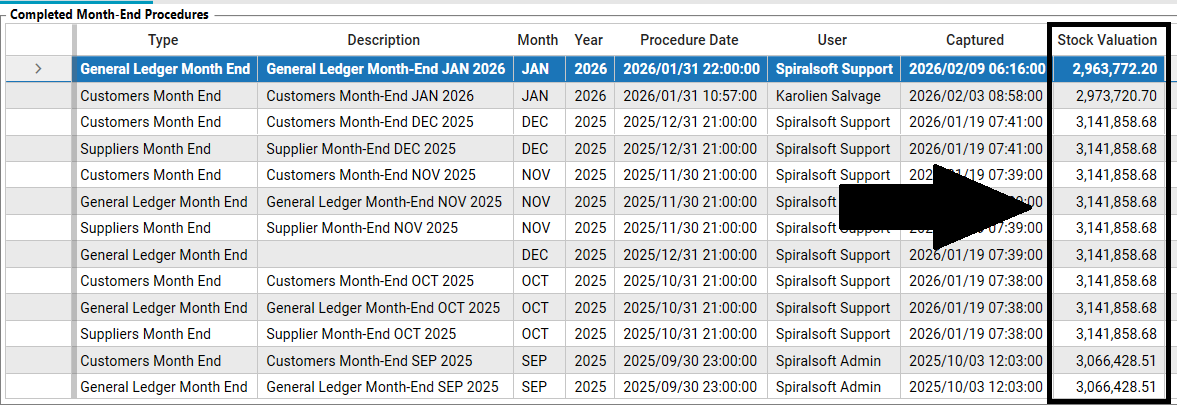
Stock valuation shows what your stock is worth at a specific point in time. This may be done to provide an audit of existing stock. It is also the source discrepancy information.
1. Click the left Hamburger Menu Icon.
2. Click on the Products module.
3. Open the Stock Valuation screen.
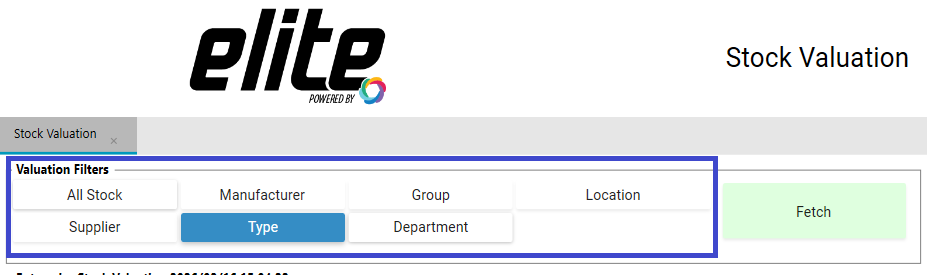
4. If required, select Valuation Filters then click on the Fetch button:
5. Click on the Create New Valuation button.
6. Enter a Stock Valuation Description for the stock valuation. For example: Stock Valuation 2021/06/22 12:58:49.
7. Click on Save.
A system message will appear: Stock Valuation Created successfully.
8. Click OK.
NOTE: If you would like to print or export a stock valuation that you have created, click here: Report 215 - Stock Valuation