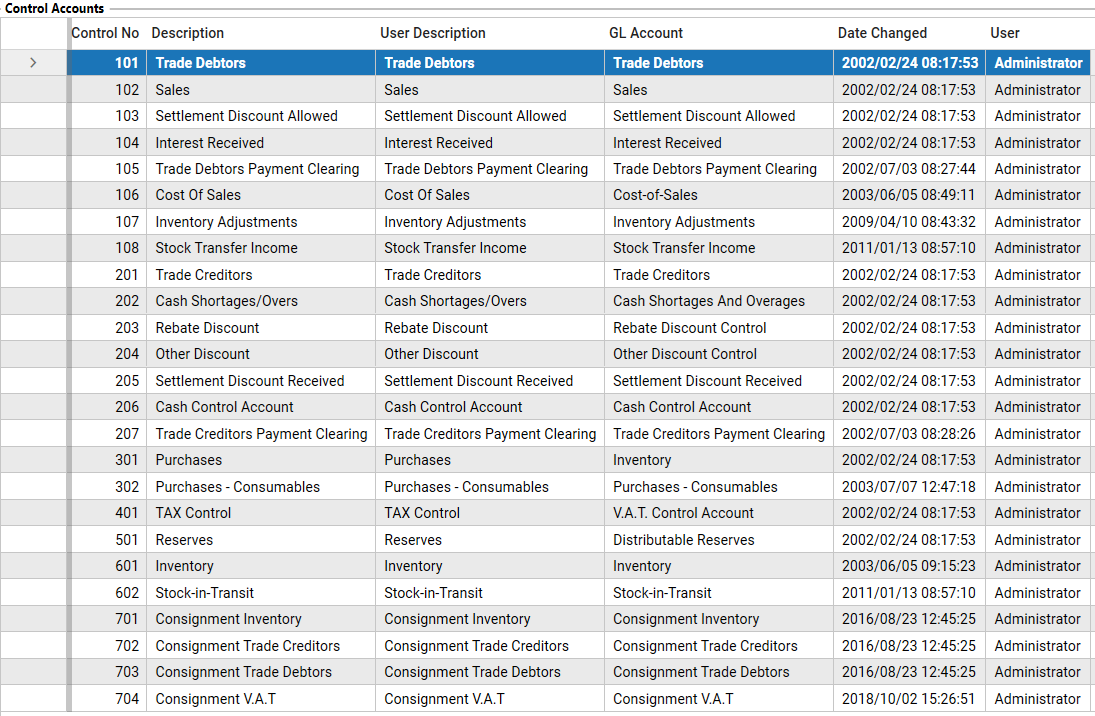
If you have access to the Control Accounts screen in Elite, you will be able to view the Control Accounts used by the system.
NOTE: This is a highly sensitive screen and should only be accessible to authorized users. Changes made here can have a significant impact on the accounting data and the overall functioning of the system. Do not make any changes unless you fully understand the purpose and consequences of those changes.STEPS:
1. Click the left Hamburger menu icon.
2. Click on the Accountant menu.
3. Open the Control Accounts module.
This screen lists the system control accounts and the linked General Ledger (GL) accounts that receive postings generated by the system: